# Two helpful tricks using display: table;
In modern Front-End development, it is well known you should never use an HTML table to achieve your page layout.
That doesn't mean you must not use the `table` value from the [display CSS property](https://developer.mozilla.org/en-US/docs/Web/CSS/display).
## About `display: table;`
The behavior of the `display: table;` declaration is not easy to understand. In many ways, it is identical to the `display: block;` declaration. In fact, `table` shares the same **outside** behavior with `block` in the [normal flow](https://developer.mozilla.org/en-US/docs/Web/CSS/CSS_Flow_Layout), which is to break the line before and after the element. However, I found two differences regarding the **internal** behavior.
## Fit content
Initially, headings and other block-displayed elements fill the full width of their parent.

Using `display: table;` the box fits the content:

> The modern way to achieve this behavior is to use the following declaration:
> `width: fit-content;`
> Be aware this rule is [not supported](https://caniuse.com/mdn-css_properties_width_fit-content) by IE and non-chromium Edge browsers.
## Prevent margin collapsing
Margin collapsing is a set of rules/specs which allow textual content to display the best way possible out of the box.
Long story short:
- block-displayed elements blend their vertical margins between their siblings and parents
- block-displayed elements disappear from the normal flow if it doesn't have any content nor height
Sometimes we want to apply style to textual elements to identify them from the rest of the content.

In the above example, I wrapped a `` tag inside a `
` on which I applied a background color and horizontal padding. We can see the margin of the paragraph collapses with the `div`.
One way to break the margin collapsing is to set the vertical padding or border (of the parent) to be `> 0px`.
```css
.not-collapsing-margin {
padding: 1px;
}
```
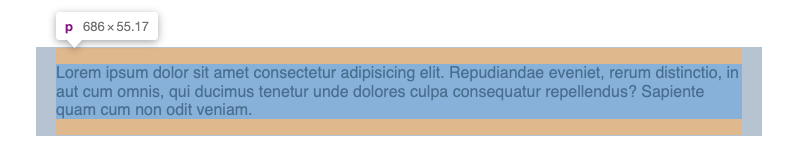
Another way of doing this is to set an empty pseudo-element displayed as a table.
```css
.not-collapsing-margin::before {
content: "";
display: table;
}
```
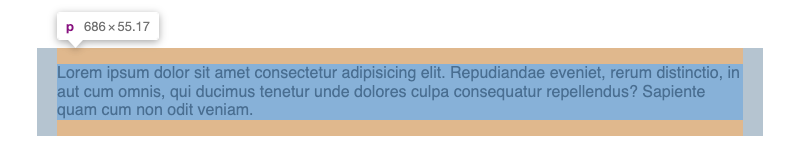
For some reason, table-displayed elements are not ignored even if their content is empty. That allows breaking the margin collapsing with a **visually inexisting** element (its height equals 0).
## Conclusion
These are two ways you can use the `display: table;` declaration in your stylesheets.
If you want to see how to push the pseudo-element trick further, I created a plugin for tailwind to [create better paddings](https://www.npmjs.com/package/tailwindcss-collapsible-padding).